AI Quick Start
This guide shows how Hudi 1.2.0 brings AI-native data types to the lakehouse. You will store image
embeddings (VECTOR) and raw image bytes (BLOB) in a single Hudi table, then run a similarity
search that finds the top-K nearest neighbors and materializes their images — in one SQL query.
Want to try this locally? This guide is also available as an interactive Jupyter notebook. Download the notebook and run it end-to-end on your machine.

Example output: a query image of a German Shorthaired pointer (left) and the five most similar images found by hudi_vector_search, with cosine similarity scores. Raw image bytes are materialized by read_blob() directly in the same query.
Prerequisites
| Requirement | Version |
|---|---|
| Java | 11+ |
| Python | 3.10 – 3.12 |
| Apache Spark | 3.5.x |
| Hudi Spark bundle | 1.2.0+ |
pip install pyspark==3.5.* pyarrow>=14.0.0 \
  torch>=2.3.0 torchvision>=0.18.0 timm>=1.0.9 \
  scikit-learn>=1.4.2 numpy>=1.26.0 pillow>=10.3.0 matplotlib>=3.8.0
1. Start Spark with Hudi
import os
from pathlib import Path
from pyspark.sql import SparkSession

HUDI_JAR = os.getenv("HUDI_BUNDLE_JAR", "hudi-spark3.5-bundle_2.12-1.2.0.jar")

spark = (
    SparkSession.builder
    .appName("Hudi-AI-QuickStart")
    .config("spark.jars", HUDI_JAR)
    .config("spark.serializer", "org.apache.spark.serializer.KryoSerializer")
    .config("spark.sql.extensions",
            "org.apache.spark.sql.hudi.HoodieSparkSessionExtension")
    .config("spark.sql.catalog.spark_catalog",
            "org.apache.spark.sql.hudi.catalog.HoodieCatalog")
    .getOrCreate()
)
2. Load images and generate embeddings
Load the Oxford-IIIT Pet dataset (37 breeds) and generate 1024-dim embeddings with MobileNetV3.
import io, torch, timm, numpy as np
from sklearn.preprocessing import normalize
from PIL import Image
from torchvision.datasets import OxfordIIITPet

N_SAMPLES = 250

ds = OxfordIIITPet(root="~/.cache/torchvision", split="trainval", download=True)
indices = np.random.default_rng().choice(len(ds), size=N_SAMPLES, replace=False)

# Collect images as PNG bytes
data = []
for idx in indices:
    img, label = ds[int(idx)]
    buf = io.BytesIO(); img.convert("RGB").save(buf, format="PNG")
    data.append({
        "image_id": f"pets_{int(idx):06d}",
        "category": ds.classes[label],
        "label":    int(label),
        "image_bytes_raw": buf.getvalue(),
    })

# Generate embeddings
model = timm.create_model("mobilenetv3_small_100", pretrained=True, num_classes=0)
model.eval()
cfg = timm.data.resolve_model_data_config(model)
transform = timm.data.create_transform(**cfg, is_training=False)

batch = torch.stack([
    transform(Image.open(io.BytesIO(d["image_bytes_raw"])).convert("RGB"))
    for d in data
])
with torch.no_grad():
    feats = normalize(model(batch).numpy())

for i, d in enumerate(data):
    d["embedding"] = feats[i].tolist()

DIM = feats.shape[1]  # 1024
3. Create table and insert data
Declare VECTOR(1024) for embeddings and BLOB for raw image bytes — first-class Hudi column types.
from pyspark.sql import Row
from pyspark.sql.types import *

# Register as a Spark temp view
schema = StructType([
    StructField("image_id",        StringType(),                               False),
    StructField("category",        StringType(),                               False),
    StructField("label",           IntegerType(),                              False),
    StructField("image_bytes_raw", BinaryType(),                               False),
    StructField("embedding",       ArrayType(FloatType(), containsNull=False), False),
])
rows = [Row(d["image_id"], d["category"], d["label"],
            d["image_bytes_raw"], d["embedding"]) for d in data]
spark.createDataFrame(rows, schema).createOrReplaceTempView("staging")
CREATE TABLE pets (
    image_id    STRING,
    category    STRING,
    label       INT,
    image_bytes BLOB,
    embedding   VECTOR(1024)
) USING hudi
LOCATION '/tmp/hudi_pets'
TBLPROPERTIES (
    primaryKey = 'image_id',
    preCombineField = 'image_id',
    type = 'cow',
    'hoodie.table.base.file.format' = 'parquet',
    'hoodie.write.record.merge.custom.implementation.classes'
        = 'org.apache.hudi.DefaultSparkRecordMerger'
);

INSERT INTO pets
SELECT image_id, category, label,
       named_struct(
           'type',      'INLINE',
           'data',      image_bytes_raw,
           'reference', cast(null as struct<
               external_path:string, offset:bigint,
               length:bigint, managed:boolean>)
       ) AS image_bytes,
       embedding
FROM staging;
Key points:
VECTOR(1024)stores fixed-dimension embeddings for similarity search.BLOBstores raw image bytes inline. For large objects, useOUT_OF_LINEto store a pointer instead —read_blob()resolves both modes transparently.
4. Materialize a BLOB with read_blob()
read_blob() is Hudi's BLOB accessor. Pass it a BLOB column, get back raw binary. Works the same
for inline bytes and out-of-line references.
SELECT image_id, category,
       length(read_blob(image_bytes)) AS byte_count
FROM pets
LIMIT 5;
+-----------+--------------------+----------+
|   image_id|            category|byte_count|
+-----------+--------------------+----------+
|pets_002081|              Beagle|    249983|
|pets_003404|           Shiba Inu|    349745|
|pets_001939|    American Bulldog|    267667|
|pets_002457|English Cocker Sp..|    364492|
|pets_003538|Staffordshire Bul..|    427728|
+-----------+--------------------+----------+
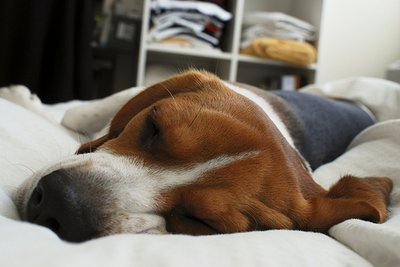
Image bytes retrieved by read_blob(), decoded back to a PNG — confirming lossless round-trip through the Hudi BLOB column.
5. Vector search + BLOB retrieval in one query
The headline: hudi_vector_search finds the top-K nearest neighbors by cosine similarity, and read_blob() materializes image bytes only for the matching rows.
SELECT image_id,
       category,
       read_blob(image_bytes) AS resolved_bytes,
       _hudi_distance
FROM hudi_vector_search(
    '/tmp/hudi_pets',        -- table path
    'embedding',             -- VECTOR column
    ARRAY(0.12, -0.03, ...), -- query embedding (1024 floats)
    5,                       -- top-K
    'cosine'                 -- distance metric
)
ORDER BY _hudi_distance;
+-----------+--------------------+-----------+
|   image_id|            category|  distance |
+-----------+--------------------+-----------+
|pets_002575|  German Shorthaired|     0.378 |
|pets_000703|  German Shorthaired|     0.484 |
|pets_002562|  German Shorthaired|     0.598 |
|pets_002556|  German Shorthaired|     0.607 |
|pets_003538|Staffordshire Bul..|     0.641 |
+-----------+--------------------+-----------+
Query: German Shorthaired pointer (left). Top-5 results ranked by cosine similarity — the search correctly identifies same-breed images as the closest matches.
One SQL query. No external vector database. Embeddings, raw images, and metadata all live in one transactional Hudi table.
6. Visualize results
import matplotlib.pyplot as plt
from PIL import Image

fig, axes = plt.subplots(1, len(results) + 1, figsize=(3 * (len(results) + 1), 3.2))

# Query image
axes[0].imshow(Image.open(io.BytesIO(query_bytes)))
axes[0].set_title("QUERY", fontweight="bold"); axes[0].axis("off")

# Top-K matches
for i, row in enumerate(results):
    img = Image.open(io.BytesIO(bytes(row["resolved_bytes"])))
    sim = 1.0 - float(row["_hudi_distance"])
    axes[i+1].imshow(img)
    axes[i+1].set_title(f"{row['category']}\nSim: {sim:.3f}")
    axes[i+1].axis("off")

plt.tight_layout()
plt.savefig("hudi_vector_search_results.png", dpi=150)
What's next
| Topic | Link |
|---|---|
| Full interactive notebook | 00_main_demo.ipynb |
| VECTOR type reference | Vector Search — element types, batch TVF, distance metrics |
| BLOB type reference | Unstructured Data — inline vs. out-of-line, read_blob(), configs |
| VARIANT type | Semi-Structured Data — flexible JSON-like storage for LLM outputs, model metadata |
| Lance file format | Lance File Format — vector-optimized storage |
| AI overview | AI-Native Lakehouse — architecture and use cases |